Get your offer in a few minutes

Download, open, and pair.

Keep your pairing code handy—it connects the app to this visit. The instructions below show every click from download to offer.

Scroll for step-by-step help

What you’ll see when you install

Windows will show a blue “Windows protected your PC” notice the first time you open Cash For PC. That is expected, and here is exactly why.

Why the notice appears

Windows SmartScreen warns about any program it hasn’t seen many times before. Cash For PC is a new app from a small local business, so it hasn’t built up that download history yet. Our code-signing certificate is in progress; once it’s issued, the notice will stop appearing.

How to check you have the real file

Before opening it, confirm the download matches:

  • File namecashforpc.exe
  • File size155 MB
  • PublisherCASH FOR PC
  • Downloaded fromcashforpc.com

If what you downloaded doesn’t match all four, don’t open it — email us instead.

What the app does and doesn’t do

It performs a read-only scan of your PC’s hardware — processor, graphics card, memory, storage — so we can price it.

It does not open your files, photos, documents, passwords, accounts, or browsing history, and it changes nothing on your computer. You can uninstall it from Windows Settings at any time.

Privacy Policy · Terms of Service

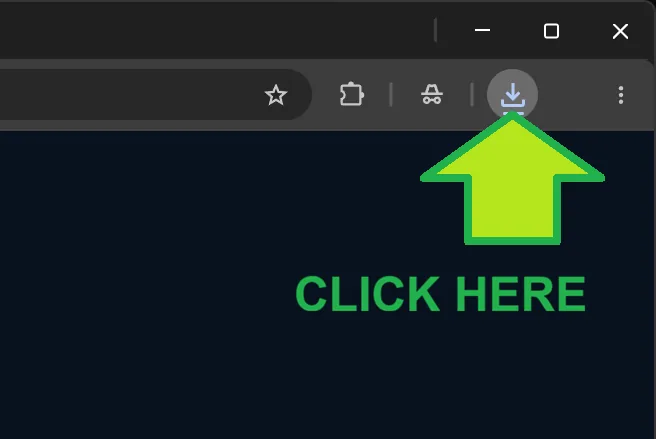
Browser download notification with arrow pointing to downloads
01FIND THE DOWNLOAD

Open your downloads

Your download should begin automatically. Click the download notification or the download icon at the top-right of your browser.

Nothing happened? Use the “Download again” button beside your pairing code at the top of this page.
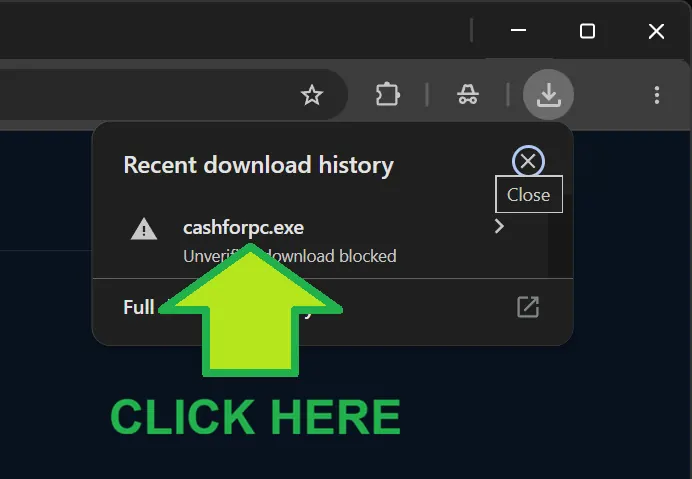
Browser download history with the installer highlighted
02OPEN THE FILE

Click cashforpc.exe

Find cashforpc.exe in the download list and click it. Windows may ask you to confirm before opening it.

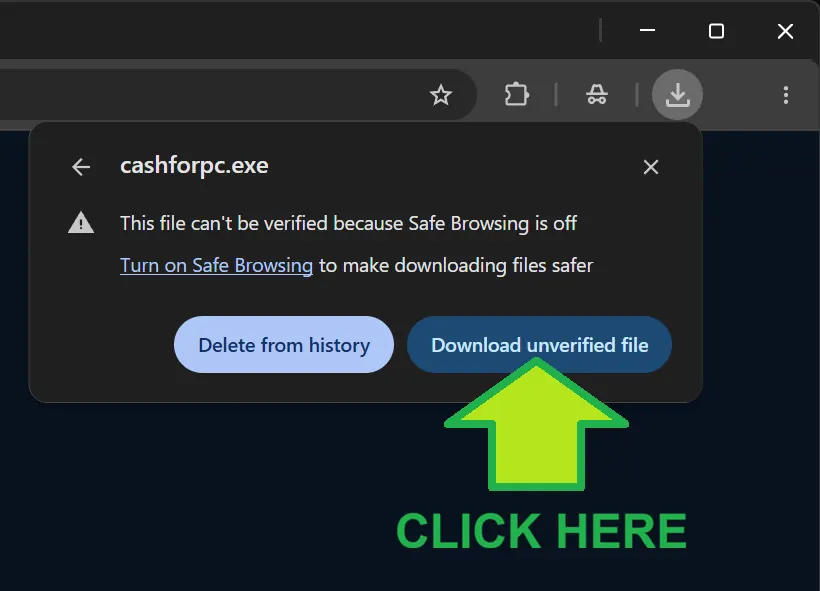
Chrome menu with Download unverified file highlighted
03BROWSER CONFIRMATION

Keep the downloaded file

If your browser pauses the download, open its menu and choose Download unverified file.

Cash For PC is a focused, read-only hardware scanner. It reads your PC parts—not your photos, documents, passwords, or browsing history.
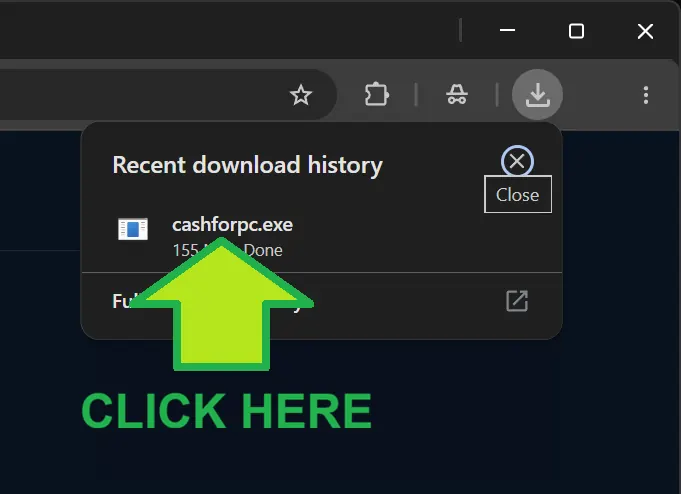
Completed installer download ready to open
04START THE APP

Open Cash For PC

Once the download finishes, click cashforpc.exe again to start the app.

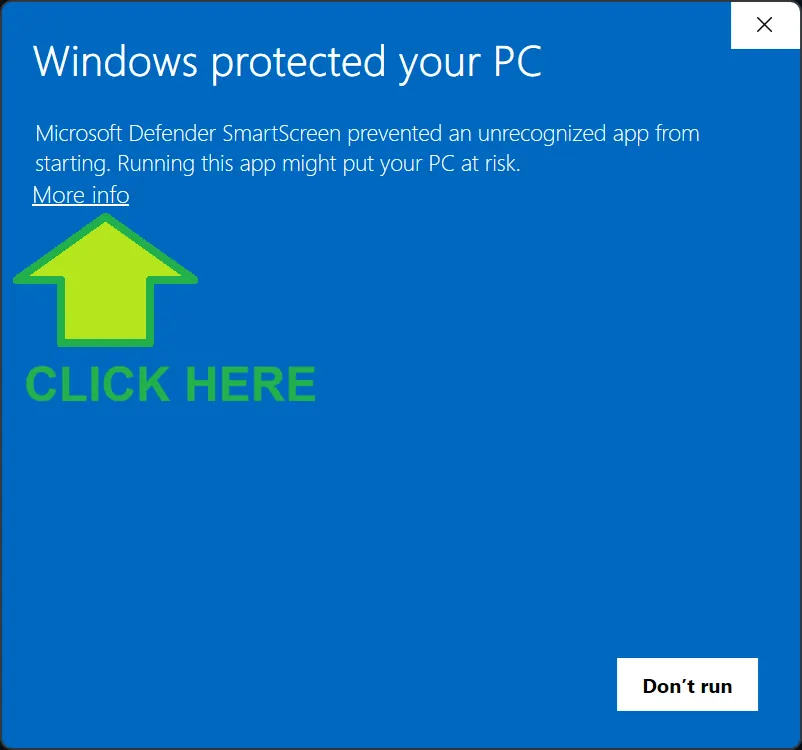
Windows protected your PC screen with More info highlighted
05WINDOWS SECURITY

Click “More info”

If Windows shows the blue Windows protected your PC screen, click More info to reveal the run option.

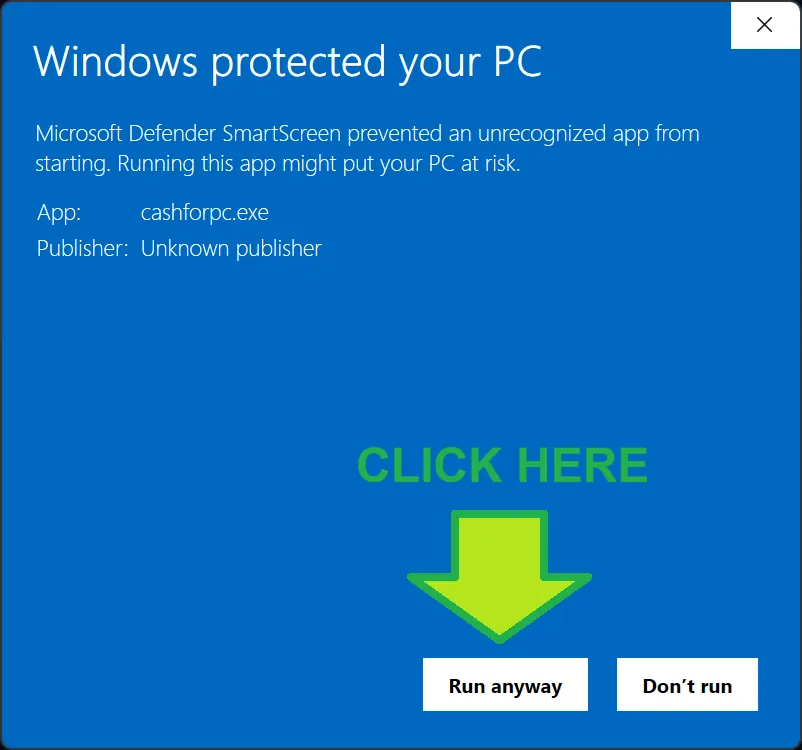
Windows security screen with Run anyway highlighted
06ALLOW THE APP

Click “Run anyway”

Once you’ve confirmed the file name, size and publisher match the details above, choose Run anyway. The Cash For PC app will open and guide you through the short hardware scan.

Only do this for a file you downloaded from cashforpc.com. If anything looks different from the details above, close the window and email us at offers@cashforpc.com.
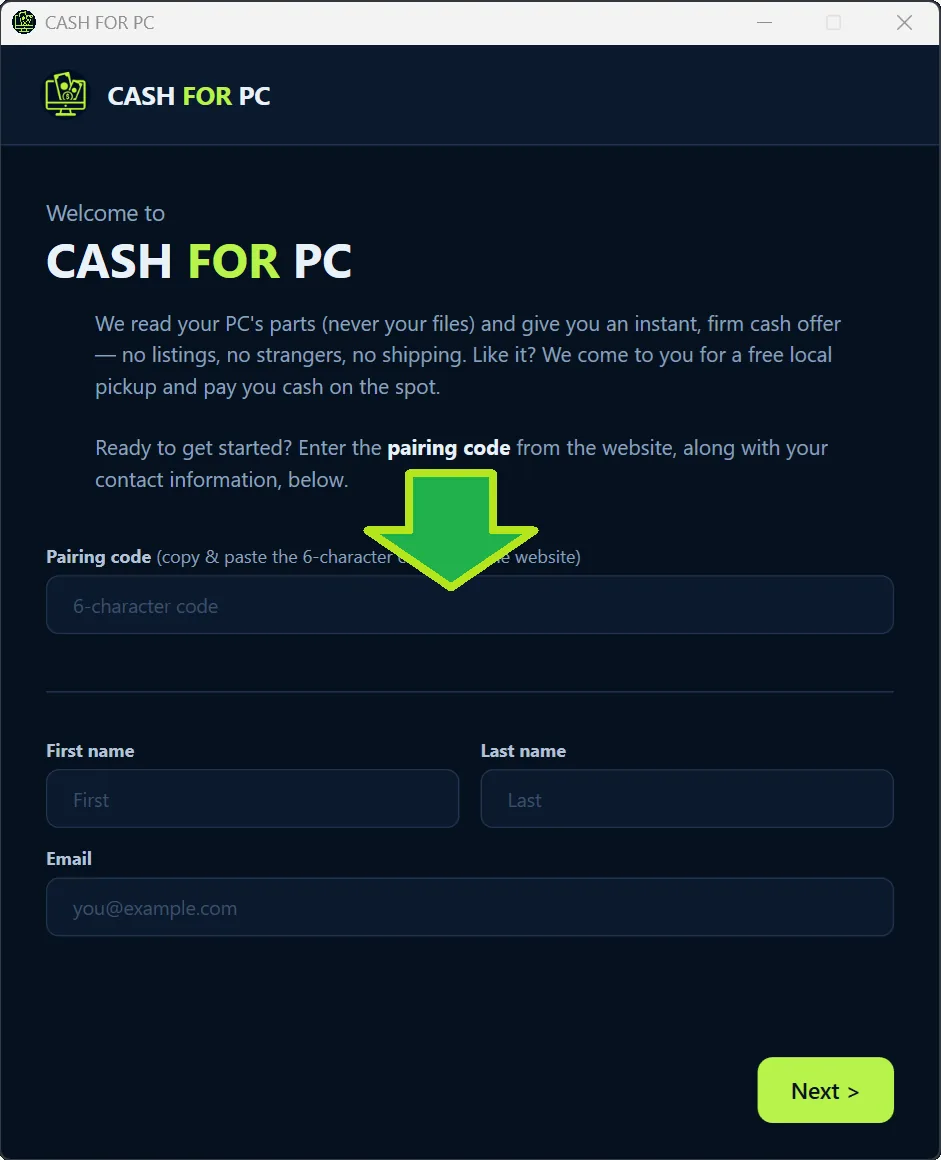
Cash For PC pairing screen next to the pairing code
07CONNECT YOUR OFFER

Enter your pairing code

Paste the code from the sticky bar into the app. This connects your scan to your visit so your offer is ready in the right place.

YOUR CODE——————
It stays visible at the top while you follow these steps.

Still need a hand?

We’re happy to help you get the app running.